
Most HR leaders don’t have an HCM problem. They have a gap problem.
Their platform handles the core — payroll, time tracking, employee records. But the workflows that sit just outside those boundaries? The shift exceptions. The repetitive employee queries. The compliance rules that differ by site or role. Those still land on someone’s desk, every single day.
Adding AI doesn’t mean replacing what you have. It means finally closing the gap between what your HR platform does and what your workforce actually needs.
What AI Actually Changes in an HR Platform Environment
When HR teams talk about integrating AI with platforms like UKG, Workday, or SAP SuccessFactors, they’re usually solving for one of three things:
1. Too much manual work still happening around the system PTO approvals routed through email. Shift conflicts resolved by supervisors. Onboarding steps tracked in spreadsheets. These aren’t platform failures — they’re gaps the platform was never designed to fill. AI automation closes them.
2. Employees who can’t get answers without calling HR A frontline worker on the floor shouldn’t need to call HR to check their accrual balance or swap a shift. AI-powered self-service — deployed as a kiosk, mobile app, or chatbot — handles these interactions instantly, at scale, without HR involvement.
3. Workforce data that informs reports but not decisions Every HCM generates data. Few organizations extract real-time, actionable insight from it. AI changes that — surfacing scheduling trends, turnover signals, and compliance gaps before they become problems.
These aren’t future-state capabilities. They’re working use cases that HR teams are deploying today alongside their existing platforms.
Why the Integration Approach Matters
The mistake most teams make is trying to build these capabilities inside their HCM — through native configuration, bolt-on modules, or vendor-managed customizations. That path is slow, expensive, and fragile. Platform updates undo the work. Vendor timelines don’t match business timelines.
The smarter approach is to extend the HCM from the outside.
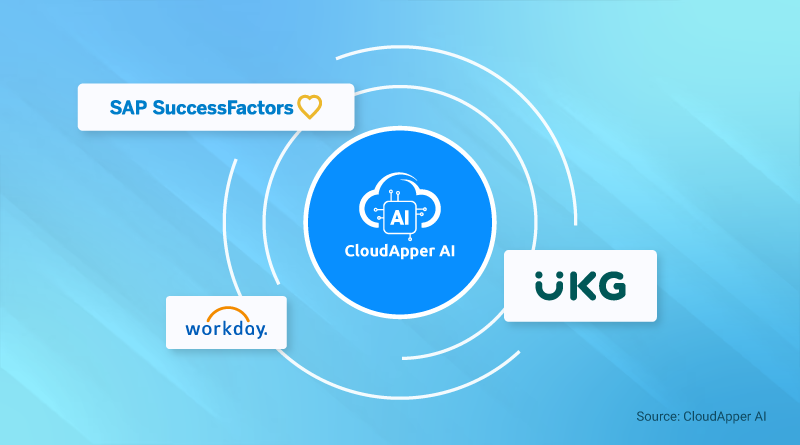
CloudApper WorkBridge connects to your existing HR platform via API and adds a fully customizable AI layer on top — without touching your core system. Workflows, self-service tools, automations, and analytics are all built and managed outside the HCM, which means they’re faster to deploy, easier to change, and immune to platform updates.
For organizations running UKG, Workday, SAP SuccessFactors, or similar platforms, this means:
- Custom approval workflows live and running in days — not after the next release cycle
- Frontline employees with self-service access through a tablet kiosk or mobile device
- AI assistants handling the HR queries that currently fill inboxes
- Scheduling automation that enforces your specific labor rules, not generic defaults
- Analytics dashboards built around the workforce questions you actually need answered
No code. No IT backlog. No risk to the live system.
Start With One Gap, Not the Whole Map
The most effective WorkBridge deployments start narrow. Pick one workflow your HCM can’t handle well. A specific self-service gap. A manual approval process that slows down a single department. Build it, validate it, then expand.
That’s a different conversation than “we need to evaluate our HCM strategy.” It’s a tactical fix that delivers measurable value fast — and builds the case for broader AI adoption across the platform.
For the full picture on how AI integration works across these platforms, start here: How to Seamlessly Integrate AI with HR Platforms Like UKG, Workday, or SAP SuccessFactors
The HCM You Have Can Do More
UKG, Workday, and SAP SuccessFactors are mature, capable platforms. They’re also only as powerful as what you build around them.
CloudApper WorkBridge is built to make them more — adding AI where the platform stops, in the exact shape your workforce requires.
See what’s possible for your platform. Explore CloudApper WorkBridge →