

Establish Two-Way Trust With Remote Employee Monitoring Software
CloudDesk analyzes your remote team’s PC/Laptop activities, empowers them with analytics to be more productive, and helps you to optimize processes for higher growth.
Enter to search • Esc to close
CloudDesk gives you real-time visibility into distributed workforce activities, allowing you to boost productivity, improve compliance, and enhance performance.
Quick set-up ∗ No credit card required
Our focus is on Insight and not on oversight. We believe in empowering teams to optimize their performance:
No Spy/Stealth Mode
No Audio Recording
No Video Recording
No Spy/Stealth Mode
No Audio Recording
No Video Recording
No Password Capturing
No Remote Desktop Access
Offers Flexible Work Hours
No Password Capturing
No Remote Desktop Access
Offers Flexible Work Hours
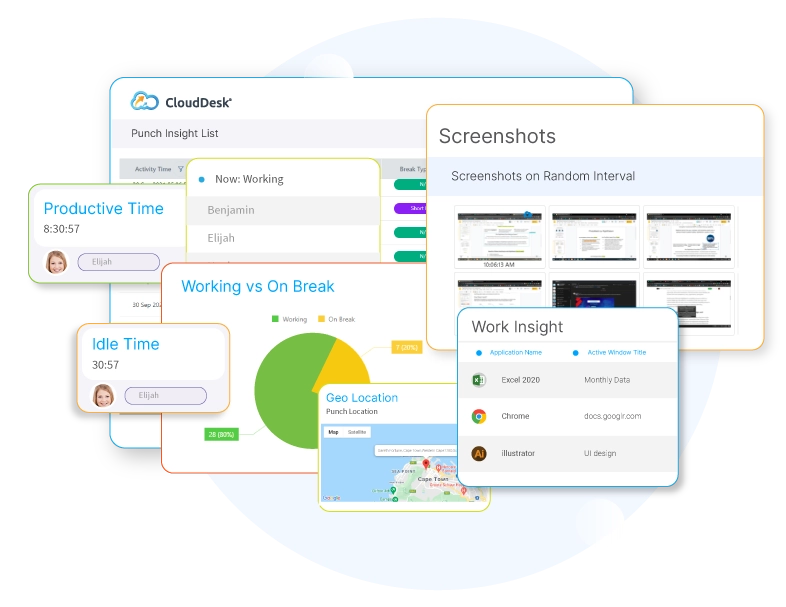
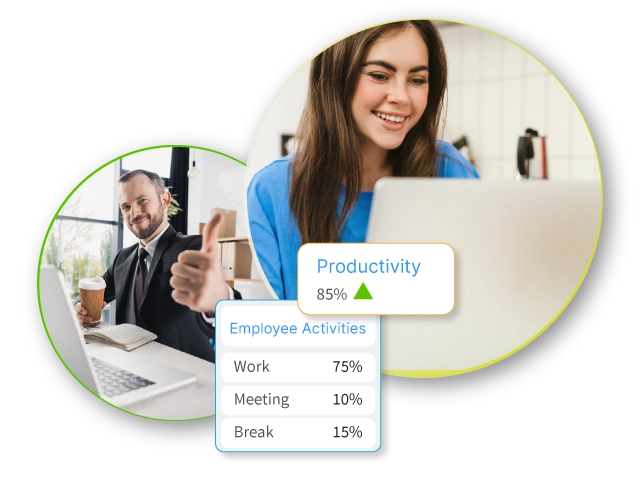
Use CloudDesk’s employee productivity tracking software to monitor performance and observe how they spend their time during work hours. Gain visibility with daily reports that categorize work into productive, meeting, break, and idle time.
CloudDesk gives you a complete picture of how productive your employees are during their working hours. View employee activity analytics based on their time tracking report, screenshot capture, web/app usage, activity monitoring, engagement, and specific behavior patterns to optimize your business processes. Easily monitor how your employees are working and keep track of how much time is spent on unproductive or idle activity. Identify opportunities for feedback and improvement by detecting increases and decreases in employee engagement.
With CloudDesk, you won’t have to guess what your remote team is up to anymore.
Quick set-up ∗ No credit card required
With CloudDesk®, there's no reason to doubt a team member and corporate politics can never impact a great team member's performance review.
Employees also have peace-of-mind knowing that their hard work and extra efforts are being documented.
Quick set-up ∗ No credit card required
Our mission is to deliver the features your business needs
to quickly achieve higher employee productivity and maximize its ROI.
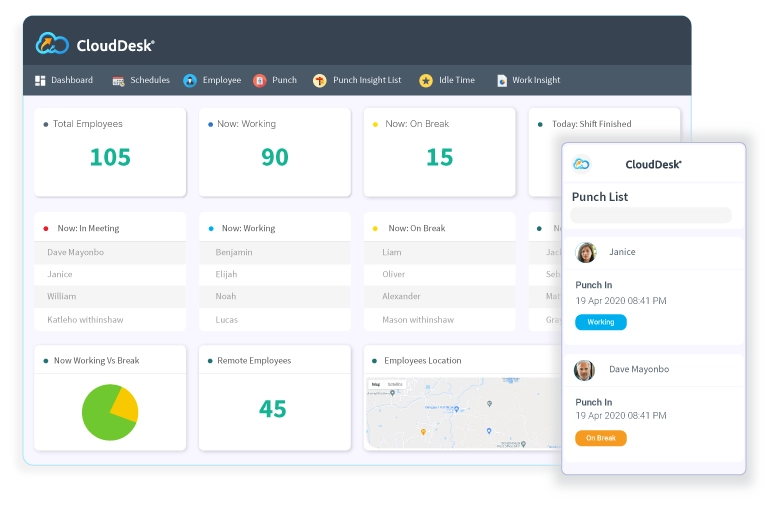
CloudDesk® automatically tracks working hours, attendance, and active/idle/break/meeting times of individual employees.
The software can capture computer screenshots randomly or at intervals assigned by the employer to promote accountability.
Quickly check updates, get an instant idea of who is working on which tasks, and manage your whole team from your smartphone.
Check internet activities and insights in real time to find out how your team is allocating its time and where improvements can be made.
Verify with face matching during in/out punches and confirm engagement throughout the day.
Identify remote employee work locations and view them in real-time on a map from your mobile device.
CloudDesk® provides a variety of activity monitoring insights so you have a clear picture of how employees work.
Receive auto generated reports to review productivity metrics and identify opportunities for improvement.
Check out our ROI calculator to calculate the cost of employee time theft and the benefit of investing in CloudDesk.
Click the Get Started Button on our website to complete the registration form and confirm your email to create a CloudDesk account for your organization.
Click on the “Add Employee” option from the Employee menu to add your employees. To invite them, you will need to enter their email addresses and some other basic information.
From the email invitation link, your employees have to select a password, download CloudDesk, and install it on their PC. Then they will simply have to register their face and start working.
Quick set-up ∗ No credit card required
Click to Compare
| Features | Hubstaff ![]() |
TimeDoctor ![]() |
CloudDesk |
Workpuls ![]() |
ActivTrak ![]() |
|---|---|---|---|---|---|
Time TrackingTracks total working hours of employee |
|||||
Productive Time TrackingMeasures productivity level of each employee |
|||||
Stealth ModeMonitoring without notification and consent |
|||||
Screenshot MonitoringTakes random screenshot at different intervals |
|||||
Web/App Usage TrackingTracks and keeps record of web/app usage |
|||||
Meeting Time TrackingKeep track of the time spent on meetings |
|||||
Idle/Break Time TrackTracking inactive computer time & break time |
(Only Idle Time) | (Only Idle Time) | |||
Custom ReportingGenerate reports to measure & boost producitvity |
|||||
Role Based AccessAccess based on a person's role within an organization |
|||||
Audit LogsDocument activities, actions, or users across a system |
|||||
Face ID VerificationConfirm employee ID through facial match |
|||||
GeofencingKnow the working location of your employees |
|||||
Drag & Drop FeatureCustomize app features per business needs |
|||||
TrialTrial option with productivity features |
(Limited Functionality) | (Limited Functionality) | (Full Functionality) | (Limited Functionality) | (Limited Functionality) |
Quick set-up ∗ No credit card required
Pilipinas Micro-Matrix Technology
(PMT Joint Venture) Inc.
PMTI was facing various challenges while managing its remote workforce. Some issues that appeared were tracking attendance, working the proper hours, and ensuring whether the employees were really working. They were looking for a solution to keep an accurate log of employee attendance and work activity throughout the day. The use of CloudDesk employee monitoring software provided them with insights into how they can manage their performance better. In addition, CloudDesk has helped the company immensely get specific, individual employee data and allowed them to drill into it to see how individual employees progressed over time.
With the CloudDesk employee monitoring software, you can boost productivity and employee satisfaction by providing more flexibility.
By keeping track of time and attendance, breaks, work allocation, you can empower your employees to work confidently from anywhere.
Know what your employees are doing, how they use the internet and apps, and where they spend their time. CloudDesk® provides the important information you need to understand their work patterns.
Being bound do an office desk for 8 hours/day is an obsolete concept. Modernize your business by allowing employees to work according to their schedules, not the other way around.
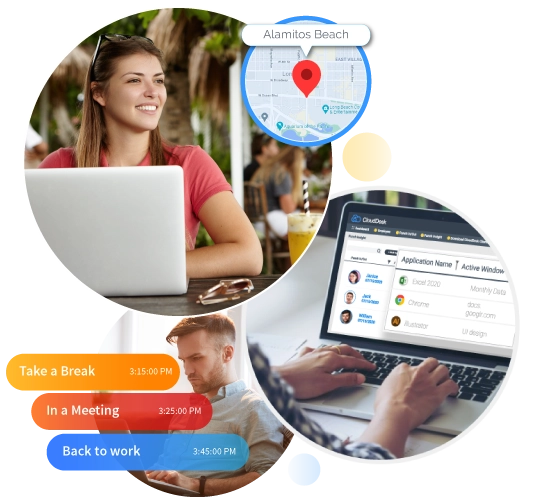
You cannot spy on your employees and expect them to be happy. CloudDesk is a transparent, collaborative performance tracking system that optimizes productivity, mitigates conflicts, and establishes mutual trust.
While shiny and classy reviews and awards are always cherished, it’s customer satisfaction that makes us feel proud. Nothing beats knowing that CloudDesk is helping our customers to improve their business outcomes.
In a highly challenging, rapidly changing business landscape, every company is looking for a competitive edge. That’s why our aim is to provide features and insight that build healthier, more sustainable teams that will deliver better results.
Quick set-up ∗ No credit card required
CloudDesk® is easy-to-use remote employee monitoring software for monitoring employees that work from distributed location. The solution includes features such as: time tracking, screenshot capture, and tracking of user internet activity. With no hidden features or stealth monitoring system, CloudDesk® makes sure that the whole process of monitoring is completely transparent to the employees, and it also gives them the control to start and stop the monitoring. Once an employee stops working, the software doesn’t capture anything, securing employees right to privacy.
CloudDesk remote employee monitoring software is designed for businesses of all sizes that have both office employees and remote team members, such as remote employees, work from home employees, freelancers, individual contractors, and many more.
CloudDesk® comes with one single Premium Package which allows you to enjoy all its features for $15 per user per month.
Business owners can set the frequency of the screenshot at random time in every minute. You can reduce or increase the frequency at which CloudDesk takes screenshots or turn the feature off completely on an individual user basis.
All screenshots are saved in the CloudDesk® cloud service and you can view screenshots of all employees from a single dashboard.
CloudDesk® only captures screenshots of employee computer activities at a regular interval assigned by the employer. CloudDesk® doesn’t record video of employees’ computers and doesn’t do anything that can violate their privacy. Screenshots are captured which functions as a proof of work to help business owners better understand employee work activity and work progress.
CloudDesk® does not record voice and video and it never will. CloudDesk® is a productivity tool and not a spy software. CloudDesk® provides a 100% transparent way of monitoring, making it a trustworthy software for both employees and employers.
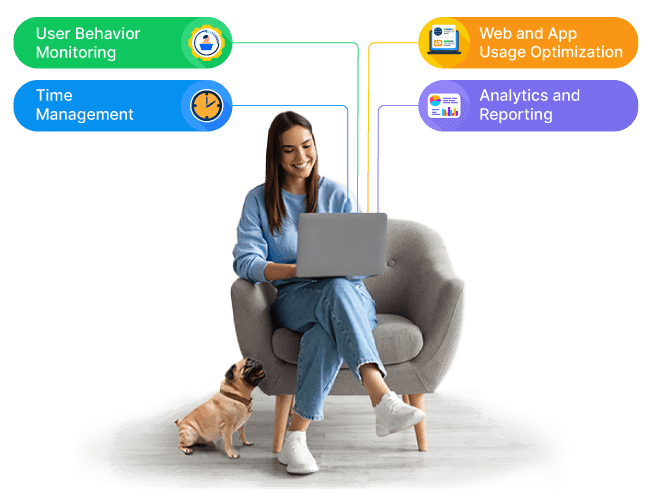
CloudDesk® tracks the usage of websites and apps to give you complete analytics on your employees’ internet activities in real-time. This tracking process ensures that you can clearly understand how employees worked throughout the day and decide what needs to be adjusted.
The software tracks time, screenshots, and internet usage to provide a productivity report based on the activity of an employee. You can also view individual reports for granular level of analysis for better understanding of the productivity level of your employees.
CloudDesk® automatically stops tracking time when there is no activity for 5 minutes or more. The time is automatically deducted from the timesheet and saved as idle time. The tracker continues to track idle time unless an employee starts to work again. The amount of time with no activity at which idle time starts being counted is configurable for each employee depending on their job role.
CloudDesk® software has built-in GPS capabilities that allows team leaders and managers to track their work from home employees’ locations. The feature confirms your employee’s location and helps you to manage both locally or globally distributed teams.
CloudDesk® is equipped with great features that makes tracking your remote employee’s efficiency an easy task. With time tracking features, screenshots, and usage of web/app tracking, you can easily identify how your remote employees are performing. You can identify employees who perform poorly and support them to increase their productivity. The software provides auto-generated reports daily/weekly/monthly to help you understand employee productivity in great detail.
CloudDesk® Mobile App is a fully featured activity and productivity tracking solution to make your monitoring process faster and simpler. You can collect an employee’s work updates and easily identify any vital changes using your smartphones. Our Mobile App gives you the power to track your employees regardless of your location. Here’s everything you can track from the mobile app:
No, CloudDesk® only works when an employee clicks the Start button and Stops tracking when an employee logs out.
Yes, CloudDesk® is legal and does not violate any privacy regulation when used correctly. CloudDesk® does not track any activity without employees’ consent, which is the “Start Working” button.
We highly recommend that you disclose why, when, and how you are going to use CloudDesk® to your employees and contractors before they start using the app. This helps your employees to fully understand the software so they can use it with peace of mind.
Please note: This is not legal advice. We recommend you consult with your legal counsel regarding monitoring your business and its employees.
CloudDesk® is available in all countries. You can use CloudDesk® from any location around the globe and manage a globally distributed team.
Yes. CloudDesk® offers a trial plan that includes all the features for a limited period of time. See our pricing details for more details.