
For more information on CloudApper AI TimeClock visit our page here.
Ask anyone running payroll for a mid-size general contractor on Workday what their biggest headache is, and they’ll describe some version of the same scene: it’s Thursday afternoon, payroll closes Friday, and someone from the field just sent a text saying three workers forgot to punch out on Tuesday at the Henderson site. Can you fix it?
That’s not a one-off. That’s every week.
Construction payroll is hard in ways that office HR software isn’t built to handle. Workers move between job sites daily. Some sites have no reliable cell signal. Certified payroll reporting requires labor classification tied to every hour worked on a prevailing wage project. And crew supervisors — who are usually the ones managing exceptions — are on ladders, not at desks.

A time clock that assumes workers are in a building with WiFi and a kiosk on the wall isn’t a solution for this industry. It’s a workaround that creates more work.
Where Standard Workday Time Clocks Break Down in the Field
The gap isn’t Workday itself. Workday handles prevailing wage codes, certified payroll exports, and multi-project labor allocation just fine on the backend. The gap is what feeds it.
When workers punch in from a phone app with no location validation, you get buddy punching and ghost hours. When a job site loses connectivity mid-shift, punches disappear. When a worker splits a day between a prevailing wage project and standard commercial work, someone has to manually reclassify those hours before payroll runs.
Each of these is a data quality problem that starts at the punch point. Fixing it downstream — in Workday, in payroll, in certified reports — takes far longer than preventing it at capture.
What Field-Ready Time Clock Customization Looks Like
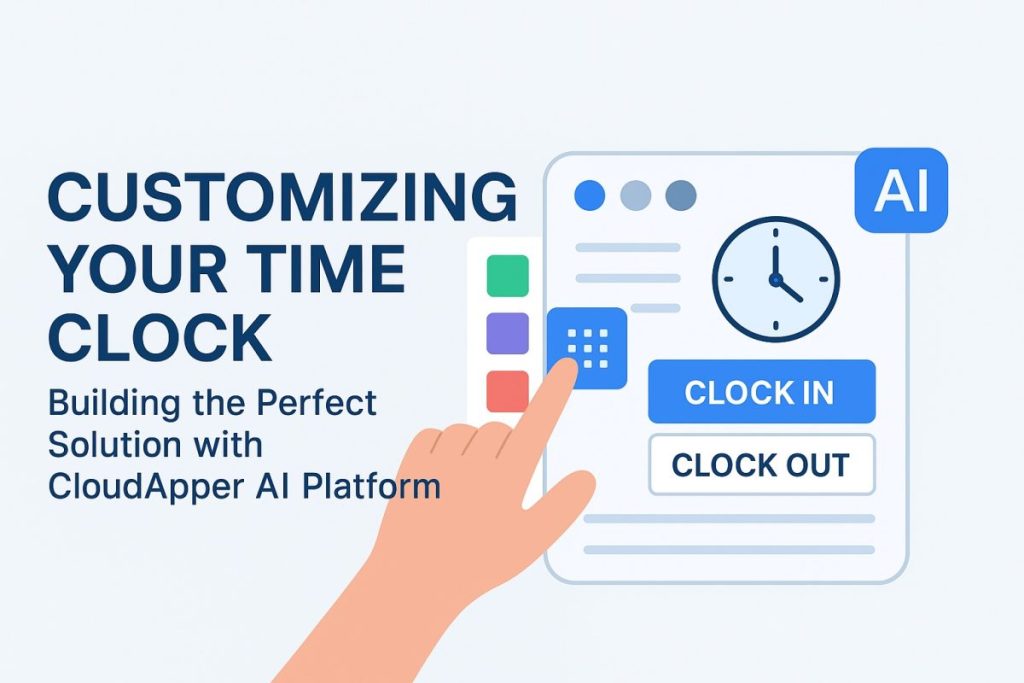
CloudApper AI TimeClock solves the field-specific version of this problem through a combination of geofencing, offline capability, and configurable punch logic built on the CloudApper AI Platform.
Geofenced job site verification. Each job site is defined by a GPS boundary in the system. Workers can only punch in when they’re physically within that boundary. No punching in from the truck two miles away, no remote clock-ins that don’t match the site schedule. Location is verified at every punch, and the data goes to Workday with a validated site code attached.
True offline punch capture. On a remote site with no signal — a rural infrastructure project, an underground utility job, a site in a dead zone — punches store securely on the device and sync to Workday the moment connectivity returns. Nothing is lost, nothing needs to be reconstructed from memory three days later.
Labor classification at the punch. When a worker arrives at a prevailing wage project, the punch interface prompts them to confirm their trade classification for that shift — carpenter, electrician, laborer, operating engineer. That selection ties directly to the right wage determination in Workday. No manual reclassification, no certified payroll corrections after the fact.
Crew supervisor clock-in. On large sites where workers don’t carry devices, a supervisor can clock in an entire crew from a tablet at the site trailer. Each worker’s punch gets logged individually with the right job code, shift, and location — without requiring every laborer to interact with the kiosk personally.
The same no-code platform architecture behind this — drag-and-drop rule configuration, pre-built Workday API connection, offline sync — is detailed in the CloudApper platform customization overview, which covers how complex multi-location compliance requirements get translated into punch-level logic without a development project.
Certified Payroll Is Where This Pays Off Most
If you work on public works projects, certified payroll isn’t optional and it isn’t forgiving. Every worker, every hour, every classification has to be documented and submitted accurately. When that data starts with clean, geofenced, classification-verified punches flowing into Workday, certified payroll reporting becomes a report run — not a forensic exercise.
When it starts with reconstructed timecards and manual corrections, it becomes a liability.
The Hardware Reality on a Job Site
Proprietary time clock kiosks don’t survive construction sites. They get dusty, they get knocked over, and when they break, you’re waiting on a vendor repair cycle while your crew is logging paper timesheets.
CloudApper runs on any standard iOS or Android tablet — rugged case optional, replacement cost around $300 if something happens to it. A site supervisor keeps it in the site trailer or mounts it at the entrance. Facial recognition handles identity verification without badges or PINs that get lost or shared. And because the device doesn’t need to be online to capture punches, an intermittent job site connection doesn’t create a data gap.
For a contractor running eight active job sites simultaneously, that’s eight low-cost, self-sufficient punch stations feeding accurate, classified labor data into Workday — without eight kiosk contracts or eight IT support tickets every time something needs updating.
Making This Work in a Workday Construction Environment
The configuration process maps directly to how construction payroll already works:
- List your active job sites and their prevailing wage status. Each site becomes a geofenced location in CloudApper with its own punch rules — wage determinations for prevailing wage projects, standard pay rules for commercial work.
- Define your trade classifications. These map to the wage codes already set up in Workday. Workers select their classification at punch-in; that selection drives the right rate automatically.
- Set your offline sync rules. For remote sites, configure how long the device holds punches locally before flagging for manual review if sync hasn’t occurred.
- Connect to Workday via pre-built integration. Punch data, job codes, classification, and location all flow in real time. Certified payroll exports pull from clean, validated source data.
- Run one pay period on a single site. Compare the number of manual corrections and late punch reports to the prior period. That delta is the business case for expanding to the rest of your sites.
Construction payroll doesn’t get easier by adding more review steps after the fact. It gets easier when the data coming out of the field is already right. A time clock that understands job sites, prevailing wage classifications, and offline environments isn’t a luxury for a contractor on Workday — it’s what makes the rest of the system actually work.
See how CloudApper AI TimeClock handles field and construction workforce management →
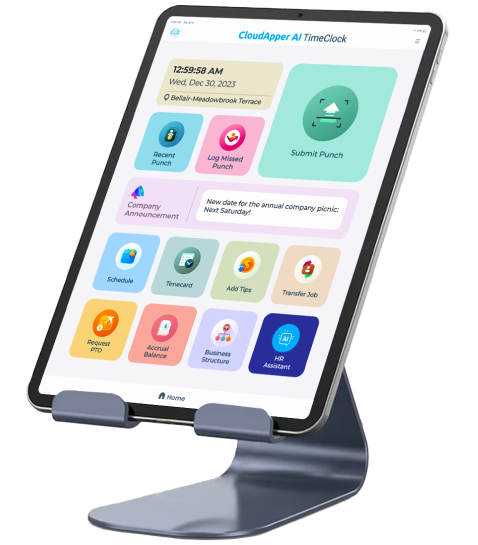
Super Efficient Employee Time Clock Kiosk Application
Cost Effective Employee Time Clock Application for All Major HR, HCM and Payroll Systems
Learn more → | Download Brochure →