
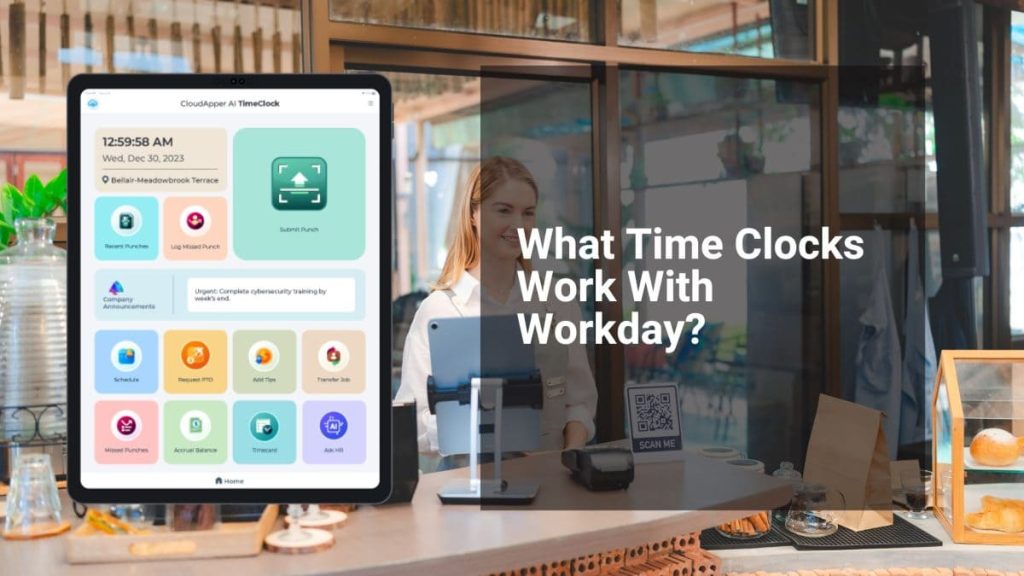
For more information on CloudApper AI TimeClock visit our page here.
Here’s a number most HR teams don’t track: how many support tickets their time clock generates.
Not payroll errors. Not missed punches. The smaller, constant ones — employees walking up to a manager or messaging HR because they need to know if yesterday’s punch went through, or why their timecard looks wrong, or whether they can still request Friday off. These questions land somewhere. Someone answers them. The clock keeps ticking.
Traditional time clocks connected to Workday were built to collect punches, not answer questions. So everything else becomes overhead — a DM, a ticket, a walk to the HR office. In high-turnover industries running shift schedules across multiple locations, that overhead adds up to real hours.

It’s one of the quieter distinctions in how Workday-compatible time clocks actually differ from each other. Most clocks do one thing. Some do more.
Tablet-based clocks built on top of Workday’s APIs can surface the data employees are asking about — PTO balance, last punch confirmation, upcoming schedule — right at the device, before the question ever reaches HR. CloudApper AI TimeClock for Workday includes a 24/7 AI assistant at the kiosk that fields exactly these questions — pulling live data from Workday and answering on the spot.
The punch-in takes two seconds. The question it used to generate took twenty minutes. That gap is where most time clock evaluations stop looking.
AI audit — remaining tells:
- “The clock keeps ticking” is a cute line but slightly try-hard
- “That overhead adds up to real hours” is passive/generic
- The closing line is clean but the rhythm of the last three paragraphs is a little too evenly paced — same length, same structure
Final version:
The Hidden Cost of Your Workday Time Clock Nobody Measures
Here’s a number most HR teams don’t track: how many support tickets their time clock generates.
Not payroll errors. Not missed punches. The low-level, constant ones — an employee asking if yesterday’s punch registered, a manager fielding a question about a timecard discrepancy, someone messaging HR to check their PTO balance before requesting a day off. These land somewhere. Someone handles them.
Basic time clocks connected to Workday were built to collect punches. That’s it. Every question an employee has after punching out routes somewhere else — a text, a ticket, a trip to the HR office. In shift-heavy operations with dozens of locations, that’s not a minor inconvenience. It’s a recurring cost nobody put a line item on.
One thing this breakdown of what time clocks work with Workday gets into is what separates clocks that only collect punches from ones that actually close the loop for employees.
Tablet-based solutions built on Workday’s APIs can surface live data at the device — PTO balance, schedule, last punch confirmation — so employees get answers before they generate a request. CloudApper AI TimeClock for Workday has a built-in AI assistant that handles these questions at the kiosk, pulling directly from Workday in real time.
The clock-in is two seconds. The question it used to generate was twenty minutes of someone’s day. Most evaluations optimize the first part and ignore the second entirely.
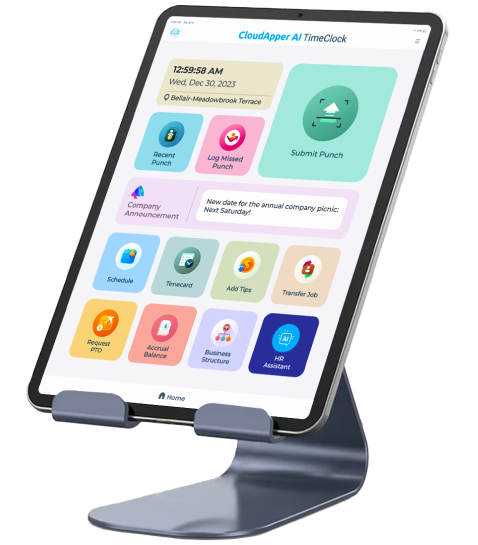
Super Efficient Employee Time Clock Kiosk Application
Cost Effective Employee Time Clock Application for All Major HR, HCM and Payroll Systems
Learn more → | Download Brochure →